Game ID 374, Game Version 1.00.47
We have added an incredible megaways twist on our traditional Aladdin’s Treasures slot game. Take a trip to the Orient with Aladdin’s Treasures Megaways. Jump on the magical rug and take off to a land full of Free Spins with increasing multipliers and feature retriggers. Let your luck out of the lamp and see how many wishes the Genie will grant you.
Basic game rules
- 6 reels, megaways;
- Winning icons will vanish from the screen, and new icons will cascade to replace them, allowing the possibility for new wins;
- Free Spins are triggered by 4, 5 or 6 Free Spins / Treasure Chest icons (any number greater than 6 is treated as 6);
- 3 (or more) Free Spins / Treasure Chest symbols on the same round, during Free Spins trigger 5 more spins;
- The Wild / Genie symbol substitutes any other symbol except Free Spins / Treasure Chest symbols;
- All payouts are made according to the paytable;
- In case of multiple possible wins on a single active payline, only the highest win is paid.
- Coinciding or simultaneous wins on different combinations are added to the balance
Special Features
Free Spins
-
4 Free Spins / Treasure Chest symbols trigger Free Spins with the following options:
- 14 spins, starting with Multiplier 1;
- 9 spins, starting with Multiplier 5;
- 5 spins, starting with Multiplier 10;
- A random pick between the 3 options;
-
5 Free Spins / Treasure Chest symbols trigger Free Spins with the following options:
- 20 spins, starting with Multiplier 1;
- 15 spins, starting with Multiplier 5;
- 10 spins, starting with Multiplier 10;
- A random pick between the 3 options;
-
6 (or more) Free Spins / Treasure Chest symbols trigger Free Spins with the following options:
- 23 spins, starting with Multiplier 1;
- 18 spins, starting with Multiplier 5;
- 13 spins, starting with Multiplier 10;
- A random pick between the 3 options;
- All Free Spins play with increasing multipliers, triggered by any cascade. Every cascade is paid with the correct multiplier. The multipliers are updated at the end of every round
- Free spins are played at the Ways and bet of the triggering spin
- Free spins can be retriggered.
Megaways
- The number of icons on each reel can vary between 2-7 on reels 1 and 6, and between 3 and 8 on reels 2-5. The number will be determined randomly on each spin.
- Above the main game box, there is a line with 4 icons. These 4 icons are calculated as part of reels 2-5.
- All wins create cascades. With each win, the icons involved disappear and are replaced with new icons that appear on the top, and wins are calculated again.
Buy Bonus option
This option allows players to instantly purchase and activate a bonus feature, typically Free Spins. The selected feature will be activated during the next spin, with the bet amount specified in the "Bet" field.
- Buy Bonus Payout Percentage:
- Option one: 94.02%
- Option two: 93.89%
- Buy Bonus cost:
- Option one: Total bet x75
- Option two: Total bet x150
Basic instructions
- Select the amount of your Bet.
- Click Play to spin the reels.
- If 3 or more consecutive icons (excluding Wild / Genie and Free Spins / Treasure Chest) appear on the reels from left to right, you win the cash prize as listed in the paytable (Note that for the Aladdin symbol, 2 icons or more will pay a prize).
- The amount won for each payline pops on the screen and then is added to your account balance at the bottom of the screen.
- The total amount won for each game appears in the Total Win field at the bottom of the screen and is added to your account balance.
-
In case of malfunction of the game, please contact customer support.
Malfunction voids all pays and play.
Slot button (desktop) - Lithuania
| Spillknapper | |
 |
Total innsats Totalbeløpet du spiller med i denne runden. Eksempel: |
 |
Innsats Velg innsatsbeløp per linje. + Øker innsatsbeløpet |
 |
Spill Klikk på Spill-knappen for å starte spillet. |
 |
Linjer Viser antall innsatslinjer du spiller med. + Øker antall innsatslinjer (gjelder kun visse spill). |
 |
Total gevinst Viser gevinstbeløp for hvert spill. |
 |
Lyd
Klikk for å slå av/på lyd. |
 |
Spillregler
Klikk for å lese reglene for dette spillet. |
 |
Pengesaldo
Din totalsaldo (penger du har satt inn på kontoen din). |
 |
Gjør innskudd
Foreta et innskudd og legg til midler på kontoen din. |
 |
Tilbake til lobby
Tilbake til lobby |
Slot button (mobile) - Lithuania
| Spillknapper | |
 |
Spill Klikk på Spill-knappen for å starte spillet. |
 |
Autospill Spillet er i autospill-modus og viser antall gjenværende runder du har å spille. |
 |
Stopp autospill Klikk på denne knappen for å stanse autospill-modus. Spillet stanses ved slutten av den gjeldende runden. Antall gjenværende runder vises i knappen.
|
 |
Turbospill Spillet er i Turbomodus. (For å stanse turbospill, klikker du på menyknappen, velger Spillinnstillinger og skyver turbospill-glideren til av.) Merk: Hvis du har aktivert både autospill og turbo, vil Stopp autospill-knappen kun stanse autospill-funksjonen |
 |
Hjem Avslutt spillet og gå tilbake til spillobbyen. |
 |
Lekepengesaldo Din totalsaldo (dette er lekepenger som kan brukes til å spille i demomodus). |
 |
Pengesaldo Din totalsaldo (penger du har satt inn på kontoen din). |
 |
Total gevinst Viser gevinstbeløp for hvert spill. Eksempel: Antall innsatslinjer = 5, innsatsbeløp = 4 4 x 5 = 20
Totalinnsats = 20 |
 |
Total innsats Totalbeløpet du spiller med i denne runden. |
 |
Gjør innskudd
Foreta et innskudd og legg til midler på kontoen din. |
 |
Spill med penger Spill med penger-knappen vises når du spiller i lekemodus. Klikk for å gå til ekte spillmodus og spill med ekte penger.
|
 |
Meny Klikk på menyknappen for å vise eller endre spillinnstillingene. |
| Innsatsinnstillinger |  |
 |
Total innsats Totalbeløpet du spiller med i denne runden. |
 |
Innsats Velg innsatsbeløp per linje. + Øker innsatsbeløpet |
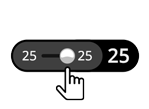 |
Linjer Viser antall innsatslinjer du spiller med. + Øker antall innsatslinjer (gjelder kun visse spill). |
 |
Tilbake Tar deg tilbake til spillet. |
| Spillinnstillinger |  |
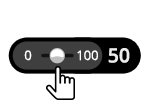 |
Autospill Spillet spilles i automodus og viser antall spill du har valgt. |
 |
Turbo
|
| Lyd |
|
 |
Lyd
|