
Game Version: 5.00.06 | SF - 1.8.0.0 | Game ID - 145
Game Instructions:
How to Play Mystic Wins:
1. Press Start to begin the game.
2. Select the amount of your Bet.
3. Click the Play button.
4. At the top of the card you receive 5 golden horseshoe numbers. Scratch them.
5. Then scratch each of the 20 silver horseshoe scratch cards to reveal the numbers and prize amounts.
6. If you reveal at least 1 card that matches one of your golden horseshoe numbers, you win the prize on the card.
7. Your total winnings appear on both the screen and in the Total Win box, on the bottom right side of the screen.
8. The relevant game prize is then added to your account balance. View your Balance on the bottom middle of the screen.
Rainbow Bonus Games:
A Bonus game is triggered when you scratch the silver horseshoe cards and reveal 3 clovers during the same game.
Win up to x100 your bet during a bonus game!
Now’s your chance to make a fortune with Mystic Wins, the brand new scratchcard game! What could be better than magical unicorns, rainbows and clovers?
During each round you receive 5 golden horseshoe numbers. Match the number on any of these golden horseshoe cards with the numbers on your 20 silver horseshoe cards and win the prize listed on that card. .
Bonus Round: If you uncover 3 clovers in the same round, you’ll enter the Rainbow bonus game – where you’ll choose a clover and uncover your bonus amount.
Prize range that can be obtained during Bonus Game:
Bonus Min: 3
Bonus Max: 100
How to Play the Rainbow Bonus Game:
1. A Rainbow bonus game window pops up on screen.
2. Pick one of the clovers, to uncover your bonus amount.
3. The bonus round displays your bonus game winnings – which is added to your total winnings.
4. Click Back to the Game, to return to the game.
- The minimum duration of the game is 1 second
In case of malfunction of the game, please contact customer support.
Scratch button (desktop) Lithuania
| Spillknapper | |
 |
Innsats Totalbeløpet du spiller med i denne runden. Dette beregnes ved å multiplisere antall kort som spilles med innsatsbeløpet. Eksempel: |
 |
Innsats Velg innsatsbeløp per kort. + Øker innsatsbeløpet |
 |
Spill Klikk på Spill-knappen for å starte spillet. |
 |
Spill for meg Klikk på Spill for meg-knappen for å få det automatiske systemet til å spille for deg. |
 |
Kort Viser antall kort du spiller med. + Øker antall spillkort (gjelder kun visse spill). |
 |
Total gevinst Viser gevinstbeløp for hvert spill. |
 |
Lyd
Klikk for å slå av/på lyd. |
 |
Spillregler
Klikk for å lese reglene for dette spillet. |
 |
Pengesaldo
Din totalsaldo (penger du har satt inn på kontoen din). |
 |
Gjør innskudd
Foreta et innskudd og legg til midler på kontoen din. |
 |
Tilbake til lobby
Tilbake til lobby |
Scratch button (mobile) Lithuania
| Spillknapper | |
 |
Spill Klikk på Spill-knappen for å starte spillet.
|
 |
Spill for meg Klikk på Spill for meg-knappen for å få det automatiske systemet til å spille for deg. |
 |
Autospill Spillet spilles i automodus og viser antall spill du har valgt. |
 |
Stopp autospill Klikk på denne knappen for å stanse autospill-modus. Spillet stanses ved slutten av den gjeldende runden. Antall gjenværende runder vises i knappen. |
 |
Turbospill Spillet er i Turbomodus. (For å stanse turbospill, klikker du på menyknappen, velger Spillinnstillinger og skyver turbospill-glideren til av.) Merk: Hvis du har aktivert både autospill og turbo, vil Stopp autospill-knappen kun stanse autospill-funksjonen
|
 |
Hjem Avslutt spillet og gå tilbake til spillobbyen. |
 |
Pengesaldo Din totalsaldo (penger du har satt inn på kontoen din). |
 |
Total gevinst Viser gevinstbeløp for hvert spill. |
 |
Innsats Totalbeløpet du spiller med i denne runden. Dette beregnes ved å multiplisere antall kort som spilles med innsatsbeløpet. Eksempel: |
 |
Gjør innskudd
Foreta et innskudd og legg til midler på kontoen din. |
 |
Spill med penger Spill med penger-knappen vises når du spiller i lekemodus. Klikk for å gå til ekte spillmodus og spill med ekte penger.
|
 |
Meny Klikk på menyknappen for å vise eller endre spillinnstillingene. |
|
Innsatsinnstillinger |
|
 |
Innsats Totalbeløpet du spiller med i denne runden. Dette beregnes ved å multiplisere antall kort som spilles med innsatsbeløpet. Eksempel: |
 |
Innsats
Velg innsatsbeløp + Øker innsatsbeløpet |
 |
Kort Viser antall kort du spiller med. + Øker antall spillkort (gjelder kun visse spill). |
 |
Tilbake Tar deg tilbake til spillet. |
| Spillinnstillinger | |
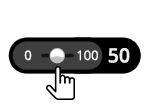 |
Autospill Spillet spilles i automodus og viser antall spill du har valgt. Slå på Autospill ved å flytte glideren til ønsket antall spill. (Stoppes når som helst i løpet av spillet ved å klikke på Stopp autospill-knappen.) |
 |
Turbo
|
|
Lyd |
|
 |
Lyd
|