

Game Version: 5.00.11 | SF - 1.8.0.0
Ready to place your order? The Lucky Grill match 3-to-win menu is overflowing with mouth-watering hidden prizes and a cheerful bonus round that awards 5 free scratch cards you will want to take a bite of.
Game Instructions
- Select the amount of your bet.
- Click ‘Play’ (or select the ‘Auto’ button for the automated system to play multiple games for you with the same settings. Stop it at any time by clicking ‘Stop’.)
- Each scratch card will reveal 6 symbols.
- Land 3 identical symbols per card to receive a payout.
- The amount won for each card will appear in the prize field below the 6 scratched symbols in the main game.
- The amount won for each game will appear in the ‘Total Win’ box at the bottom of your screen.
- The total amount won will be added to your account balance (‘Balance’) at the bottom of your screen.
- Land 3 bonus beer mug symbols (across all 3 cards) to get taken to the bonus game.
The Bonus Game
- The bonus game is triggered once you land 3 bonus beer mug symbols (across all 3 cards) and rewards you with 5 free scratch cards.
- What dishes are on the chalkboard menu? Let the sponge reveal the hidden symbols.
- Land 3 identical symbols per card and win.
- You can scratch each card individually by clicking ‘Scratch One Card’ on the left of the board or have the automated system scratch all the cards for you by clicking ‘Scratch All’ to the right of the board.
- If you win the bonus game while playing in ‘Auto’ mode, the system will automatically scratch all cards for you.
- The Bonus Round field will indicate how many free cards you have left to finish the round.
Scratch button (desktop) Lithuania
| Spillknapper | |
 |
Innsats Totalbeløpet du spiller med i denne runden. Dette beregnes ved å multiplisere antall kort som spilles med innsatsbeløpet. Eksempel: |
 |
Innsats Velg innsatsbeløp per kort. + Øker innsatsbeløpet |
 |
Spill Klikk på Spill-knappen for å starte spillet. |
 |
Spill for meg Klikk på Spill for meg-knappen for å få det automatiske systemet til å spille for deg. |
 |
Kort Viser antall kort du spiller med. + Øker antall spillkort (gjelder kun visse spill). |
 |
Total gevinst Viser gevinstbeløp for hvert spill. |
 |
Lyd
Klikk for å slå av/på lyd. |
 |
Spillregler
Klikk for å lese reglene for dette spillet. |
 |
Pengesaldo
Din totalsaldo (penger du har satt inn på kontoen din). |
 |
Gjør innskudd
Foreta et innskudd og legg til midler på kontoen din. |
 |
Tilbake til lobby
Tilbake til lobby |
Scratch button (mobile) Lithuania
| Spillknapper | |
 |
Spill Klikk på Spill-knappen for å starte spillet.
|
 |
Spill for meg Klikk på Spill for meg-knappen for å få det automatiske systemet til å spille for deg. |
 |
Autospill Spillet spilles i automodus og viser antall spill du har valgt. |
 |
Stopp autospill Klikk på denne knappen for å stanse autospill-modus. Spillet stanses ved slutten av den gjeldende runden. Antall gjenværende runder vises i knappen. |
 |
Turbospill Spillet er i Turbomodus. (For å stanse turbospill, klikker du på menyknappen, velger Spillinnstillinger og skyver turbospill-glideren til av.) Merk: Hvis du har aktivert både autospill og turbo, vil Stopp autospill-knappen kun stanse autospill-funksjonen
|
 |
Hjem Avslutt spillet og gå tilbake til spillobbyen. |
 |
Pengesaldo Din totalsaldo (penger du har satt inn på kontoen din). |
 |
Total gevinst Viser gevinstbeløp for hvert spill. |
 |
Innsats Totalbeløpet du spiller med i denne runden. Dette beregnes ved å multiplisere antall kort som spilles med innsatsbeløpet. Eksempel: |
 |
Gjør innskudd
Foreta et innskudd og legg til midler på kontoen din. |
 |
Spill med penger Spill med penger-knappen vises når du spiller i lekemodus. Klikk for å gå til ekte spillmodus og spill med ekte penger.
|
 |
Meny Klikk på menyknappen for å vise eller endre spillinnstillingene. |
|
Innsatsinnstillinger |
|
 |
Innsats Totalbeløpet du spiller med i denne runden. Dette beregnes ved å multiplisere antall kort som spilles med innsatsbeløpet. Eksempel: |
 |
Innsats
Velg innsatsbeløp + Øker innsatsbeløpet |
 |
Kort Viser antall kort du spiller med. + Øker antall spillkort (gjelder kun visse spill). |
 |
Tilbake Tar deg tilbake til spillet. |
| Spillinnstillinger | |
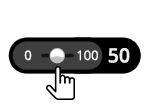 |
Autospill Spillet spilles i automodus og viser antall spill du har valgt. Slå på Autospill ved å flytte glideren til ønsket antall spill. (Stoppes når som helst i løpet av spillet ved å klikke på Stopp autospill-knappen.) |
 |
Turbo
|
|
Lyd |
|
 |
Lyd
|