
Game Version: 5.00.11
Explore ancient Greece to reveal the riches of Gold of Acropolis in this unique match one to win scratch game!
- Gold of Acropolis is a match one to win scratch card game, it consists of 2 reference icons and 8 icons per round.
- Win up to x10,041 your bet when you play Gold of Acropolis!
- The Gold of Acropolis scratch game also has an exciting in-game Instant bonus icon – when it appears it will give life to the Guardian of Acropolis and can win the player up to 10,000 his bet.
Game instructions
How to Play Gold of Acropolis
1. Select the amount of your Bet.
Min Bet per card: 0.50 EUR
Max Bet per card: 20.00 EUR
2. Click the Play button.
3. If you match any of the 8 icons to one of the two reference icons, you’ve won!
4. The amount won for each scratch Icon appears below the said Icon, in the Prize field.
5. The amount won for each game appears in the Total Win Field just under the reference icons, on the center of the screen.
6. The relevant game prize is then added to your account balance. View your Balance (Real or Fun) on the bottom middle of the screen.
The Guardian’s Bonus:
- The Bonus Icon Appears randomly in place of a normal icon and can win up to x10,000 the players bet.
Scratch button (desktop) Lithuania
| Spillknapper | |
 |
Innsats Totalbeløpet du spiller med i denne runden. Dette beregnes ved å multiplisere antall kort som spilles med innsatsbeløpet. Eksempel: |
 |
Innsats Velg innsatsbeløp per kort. + Øker innsatsbeløpet |
 |
Spill Klikk på Spill-knappen for å starte spillet. |
 |
Spill for meg Klikk på Spill for meg-knappen for å få det automatiske systemet til å spille for deg. |
 |
Kort Viser antall kort du spiller med. + Øker antall spillkort (gjelder kun visse spill). |
 |
Total gevinst Viser gevinstbeløp for hvert spill. |
 |
Lyd
Klikk for å slå av/på lyd. |
 |
Spillregler
Klikk for å lese reglene for dette spillet. |
 |
Pengesaldo
Din totalsaldo (penger du har satt inn på kontoen din). |
 |
Gjør innskudd
Foreta et innskudd og legg til midler på kontoen din. |
 |
Tilbake til lobby
Tilbake til lobby |
Scratch button (mobile) Lithuania
| Spillknapper | |
 |
Spill Klikk på Spill-knappen for å starte spillet.
|
 |
Spill for meg Klikk på Spill for meg-knappen for å få det automatiske systemet til å spille for deg. |
 |
Autospill Spillet spilles i automodus og viser antall spill du har valgt. |
 |
Stopp autospill Klikk på denne knappen for å stanse autospill-modus. Spillet stanses ved slutten av den gjeldende runden. Antall gjenværende runder vises i knappen. |
 |
Turbospill Spillet er i Turbomodus. (For å stanse turbospill, klikker du på menyknappen, velger Spillinnstillinger og skyver turbospill-glideren til av.) Merk: Hvis du har aktivert både autospill og turbo, vil Stopp autospill-knappen kun stanse autospill-funksjonen
|
 |
Hjem Avslutt spillet og gå tilbake til spillobbyen. |
 |
Pengesaldo Din totalsaldo (penger du har satt inn på kontoen din). |
 |
Total gevinst Viser gevinstbeløp for hvert spill. |
 |
Innsats Totalbeløpet du spiller med i denne runden. Dette beregnes ved å multiplisere antall kort som spilles med innsatsbeløpet. Eksempel: |
 |
Gjør innskudd
Foreta et innskudd og legg til midler på kontoen din. |
 |
Spill med penger Spill med penger-knappen vises når du spiller i lekemodus. Klikk for å gå til ekte spillmodus og spill med ekte penger.
|
 |
Meny Klikk på menyknappen for å vise eller endre spillinnstillingene. |
|
Innsatsinnstillinger |
|
 |
Innsats Totalbeløpet du spiller med i denne runden. Dette beregnes ved å multiplisere antall kort som spilles med innsatsbeløpet. Eksempel: |
 |
Innsats
Velg innsatsbeløp + Øker innsatsbeløpet |
 |
Kort Viser antall kort du spiller med. + Øker antall spillkort (gjelder kun visse spill). |
 |
Tilbake Tar deg tilbake til spillet. |
| Spillinnstillinger | |
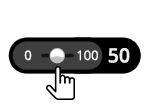 |
Autospill Spillet spilles i automodus og viser antall spill du har valgt. Slå på Autospill ved å flytte glideren til ønsket antall spill. (Stoppes når som helst i løpet av spillet ved å klikke på Stopp autospill-knappen.) |
 |
Turbo
|
|
Lyd |
|
 |
Lyd
|